

 Fintech news

For most customers, the mobile app is the bank. They open accounts in it, pay with it and judge the whole institution by how it behaves on a bad network at the checkout. That makes a mobile banking app one of the hardest consumer products to build well: it has to be fast and simple on the surface, and secure, compliant and exactly reconciled underneath.
The audience is huge. According to the World Bank’s Global Findex 2025, 79% of adults worldwide now have an account, and 84% of adults in low- and middle-income economies own a mobile phone. This guide explains how to develop a mobile banking app step by step: the app types, must-have features, the compliance rules you have to design for, the development process, and what drives cost and timeline.
What Is a Mobile Banking App?
A mobile banking app gives customers of a bank or fintech access to their accounts and financial services from a smartphone. The basic set covers balances, transfers, cards and statements. Modern apps go further, with instant account opening, budgeting tools, investments, credit and in-app support.
The best-known examples are digital-first. Nubank reached 139 million customers by the end of June 2026, and Revolut ended 2025 with 68.3 million retail customers. Neither started with branches; the app was the product from day one. If you are launching a new digital bank rather than an app for an existing one, our guide on how to start a neobank covers licensing and the core platform.
Types of Mobile Banking Apps
The scope of your app depends on who you are and what you offer:
- Retail banking apps from existing banks, which extend branch and web services to mobile.
- Neobank apps, where the app is the whole customer relationship.
- Business banking apps with multi-user access, approvals, invoicing and payroll.
- Mobile wallets that store cards and enable tap-to-pay; see our guide on building a mobile wallet app.
- P2P payment apps for instant transfers between users, covered in our article on how to build a P2P payment app.
- Crypto-enabled banking apps that combine fiat accounts with digital assets; our guide on how to build a crypto bank explains that model.
- Lending, savings and investment apps focused on a single product.
Many products start in one category and grow into a broader financial app over time.
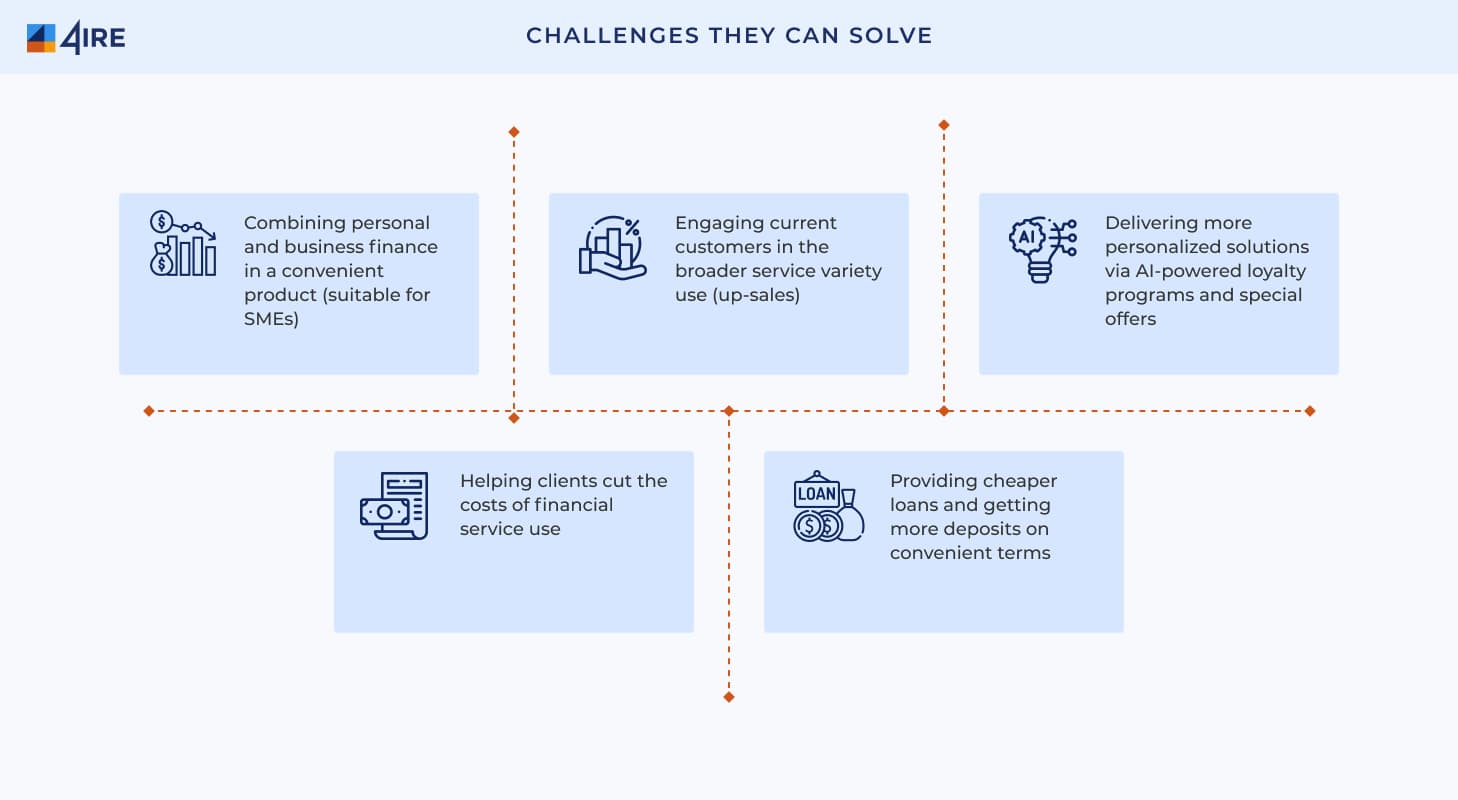
Why Build Your Own App
A branded app gives a bank or fintech control over the customer relationship. It lets you reach customers beyond your physical footprint, sell more products to the same users, collect first-party data for better offers, and lower servicing costs by moving routine requests to self-service.
Must-Have Features
The first release should do a few things very well. The usual minimum:
- Onboarding and KYC. Account opening in minutes, with document and liveness checks.
- Accounts and cards. Real-time balances, transaction history, card controls such as freeze, limits and PIN reveal.
- Payments. Transfers, instant payments where available, bill payments and scheduled payments.
- Security. Biometric login, device binding, strong customer authentication for payments, and alerts for every transaction.
- Notifications and support. Push alerts plus in-app chat with an escalation path to people.
- Admin back office. Tools for operations, compliance and support teams to manage customers, limits, fees and cases.
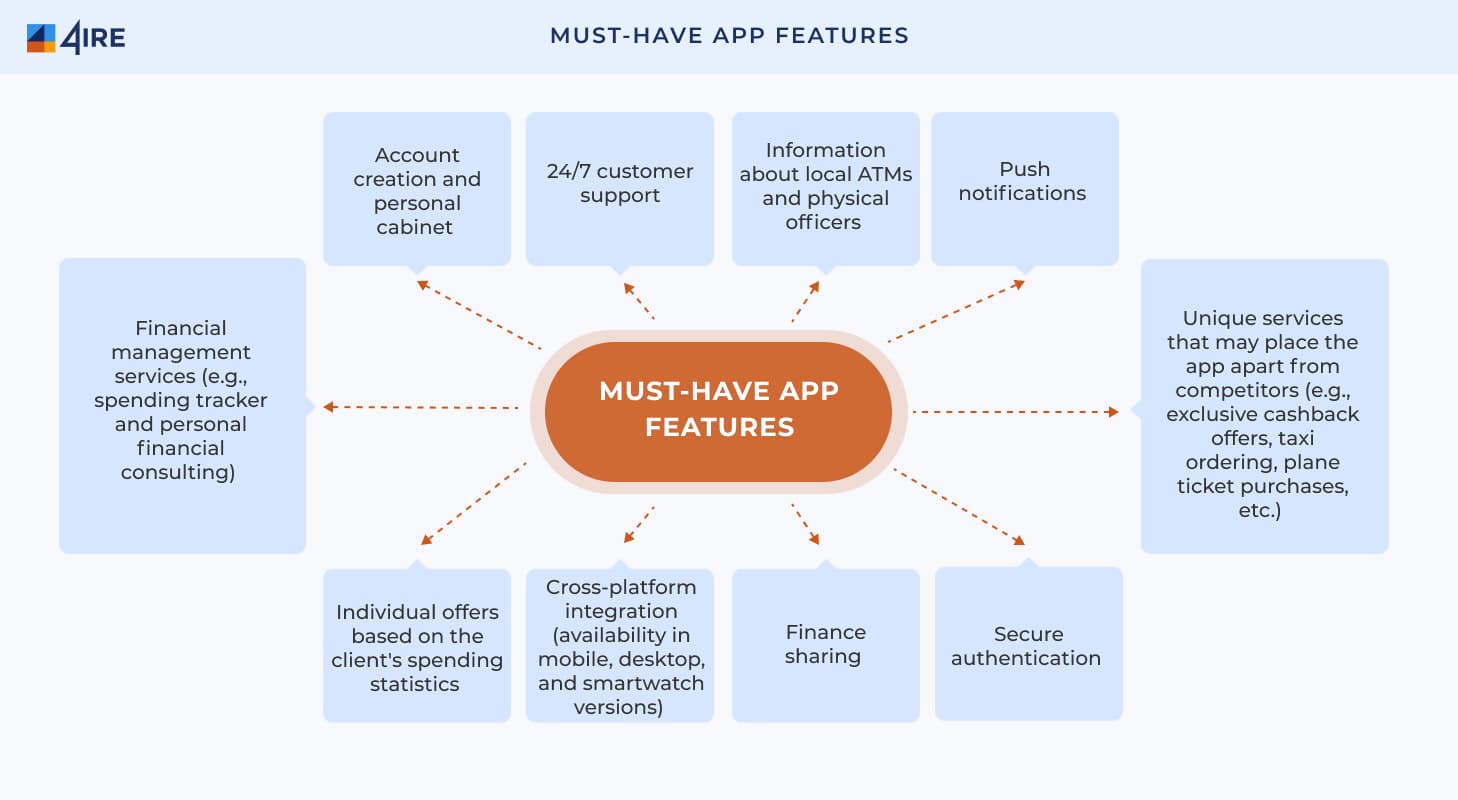
Once the basics work, common additions include spending analytics, savings goals, split bills, cashback, multi-currency accounts, credit, and account aggregation through open banking APIs.
Security and Compliance Requirements
Banking apps are regulated products, and several rules shape the build directly. In the EU:
- Strong customer authentication. PSD2 requires two independent factors for logins and payments. It is being replaced by PSD3 and a new Payment Services Regulation, which the Council and Parliament agreed provisionally in November 2025 with a stronger focus on fraud prevention and fee transparency.
- Operational resilience. The Digital Operational Resilience Act (DORA) has applied since 17 January 2025. It requires ICT risk management, incident reporting, resilience testing and oversight of critical tech providers.
- Accessibility. The European Accessibility Act has applied to consumer banking services since 28 June 2025, so apps and websites must work with screen readers, text resizing and other assistive technology.
- Data protection. GDPR or the local equivalent applies to every piece of customer data you collect.
Card data brings PCI DSS into scope, and other markets add their own rules. Build these into the architecture from the start; retrofitting them is expensive.
How to Develop a Mobile Banking App: Step by Step
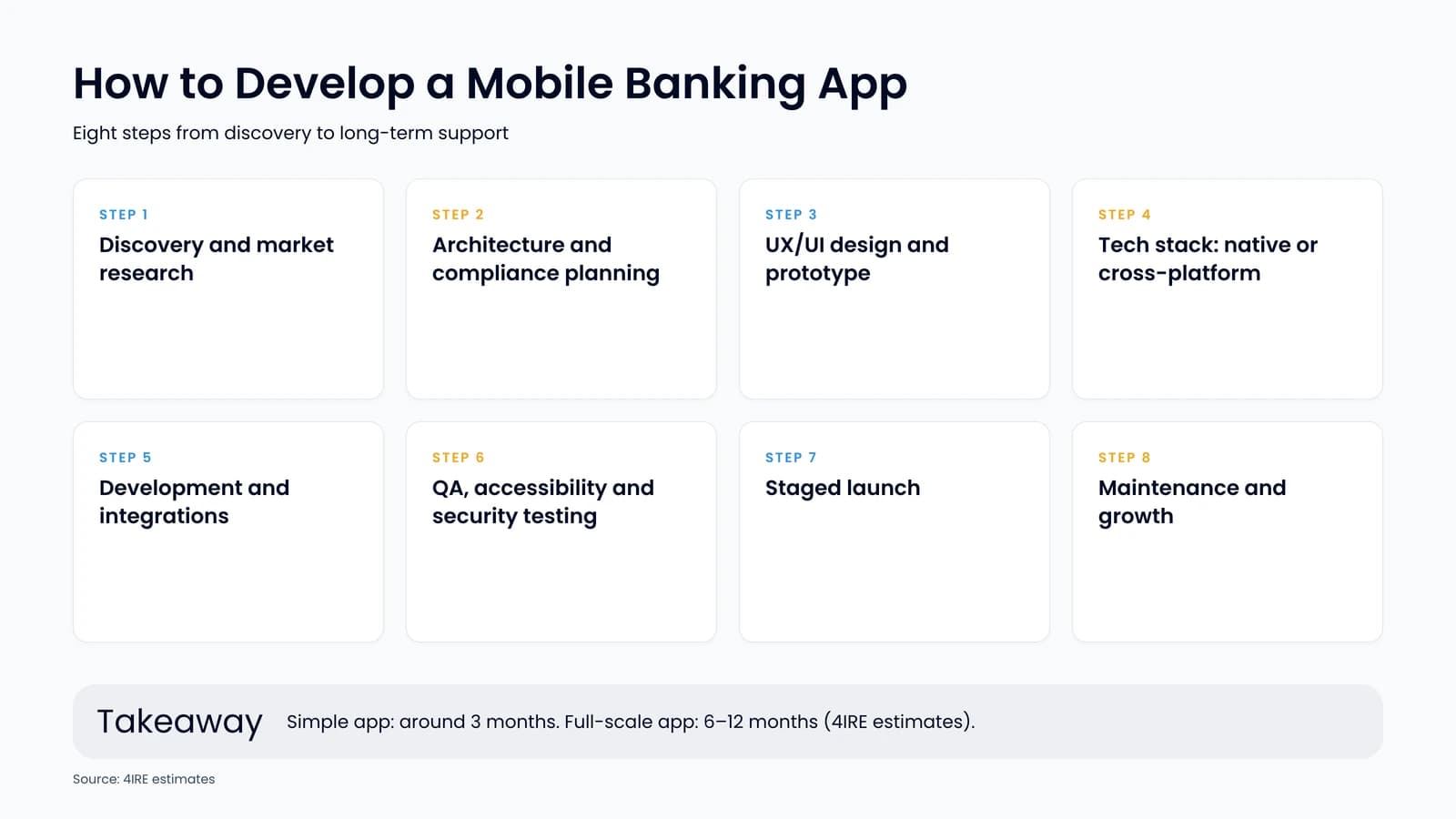
Step 1. Discovery and market research
Define the target users, their main jobs and the gaps in existing apps. Confirm the regulatory route and the partners you depend on, such as a core banking provider, card issuer and KYC vendor. The output is a scoped feature list and a delivery plan.
Step 2. Architecture and compliance planning
Decide how the app connects to the core banking system, payment rails and third-party services, usually through an API layer. Map every regulatory requirement to a component, from SCA flows to audit logs.
Step 3. UX/UI design and prototype
Design the key journeys first: onboarding, first payment and card management. Test a clickable prototype with real users before writing production code.
Step 4. Tech stack selection
Choose between native apps (Swift for iOS, Kotlin for Android) and cross-platform frameworks such as Flutter or React Native. Native gives the tightest access to device security features; cross-platform shares one codebase and shortens delivery. The backend is typically built as services around a proven core, with a strong focus on the ledger.
Step 5. Development and integrations
Build in short iterations, integrating KYC, card processing, payments and notifications as you go. Keep security reviews inside every sprint, not at the end.
Step 6. QA and security testing
Run functional, performance and accessibility testing on real devices, plus penetration testing and a review of how the app stores and transmits data. Regulators and partner banks will ask for evidence.
Step 7. Launch
Start with a closed beta, then release in stages while monitoring crashes, onboarding drop-off and fraud signals. Prepare app store listings and support teams before the public launch.
Step 8. Maintenance and growth
Plan regular releases for OS updates, security patches, regulatory changes and new features. Budget for this run cost, not only for the build.
Build Custom or Start from White-Label?
Custom development gives full control over features and IP, at the cost of time and budget. A white-label platform provides ready accounts, cards, KYC and back-office modules that you brand and extend. Our review of white-label solutions for neobanks compares the main options, and 4IRE’s own NeobankX platform combines white-label modules with custom development, IP rights and a source-code license.
How Much Does It Cost and How Long Does It Take?
Cost depends on the feature set, number of platforms, integrations and compliance scope. By 4IRE’s estimates, the simplest banking app can cost under $100,000, while a competitive, full-featured app typically costs $100,000–$500,000 to develop. A simple app with minimal functionality can take up to three months; a full-scale banking app can take 6–12 months. White-label and low-code components shorten both.
How 4IRE Can Help
The 4IRE team designs and builds banking and payment apps for banks and fintechs, from discovery and UX to integrations, security testing and long-term support. Explore our mobile bank development services or get in touch to scope your app.
Build Your Mobile Banking App with 4IRE
Planning a banking or payment app? Our team will help you scope features, integrations and compliance, then design, build and support it.
FAQ on Mobile Banking App Development
The core set includes fast onboarding with KYC, real-time balances and transaction history, card controls, transfers and bill payments, biometric login with strong customer authentication, push notifications, in-app support and an admin back office for operations and compliance teams.
By 4IRE’s estimates, a simple app with minimal functionality can take up to three months, while a full-scale banking app can take 6–12 months. White-label or low-code components can shorten the timeline significantly.
By 4IRE’s estimates, the simplest banking app can cost under $100,000, and a competitive, full-featured app typically costs $100,000–$500,000. The final figure depends on features, platforms, integrations and compliance scope.
Native apps give the deepest access to device security features and platform behavior. Cross-platform frameworks such as Flutter or React Native share one codebase across iOS and Android and usually cost less. The right choice depends on your feature set, security requirements and team.
The main ones are PSD2 strong customer authentication (to be replaced by PSD3 and the Payment Services Regulation), DORA for operational resilience, the European Accessibility Act, GDPR, and PCI DSS for card data.